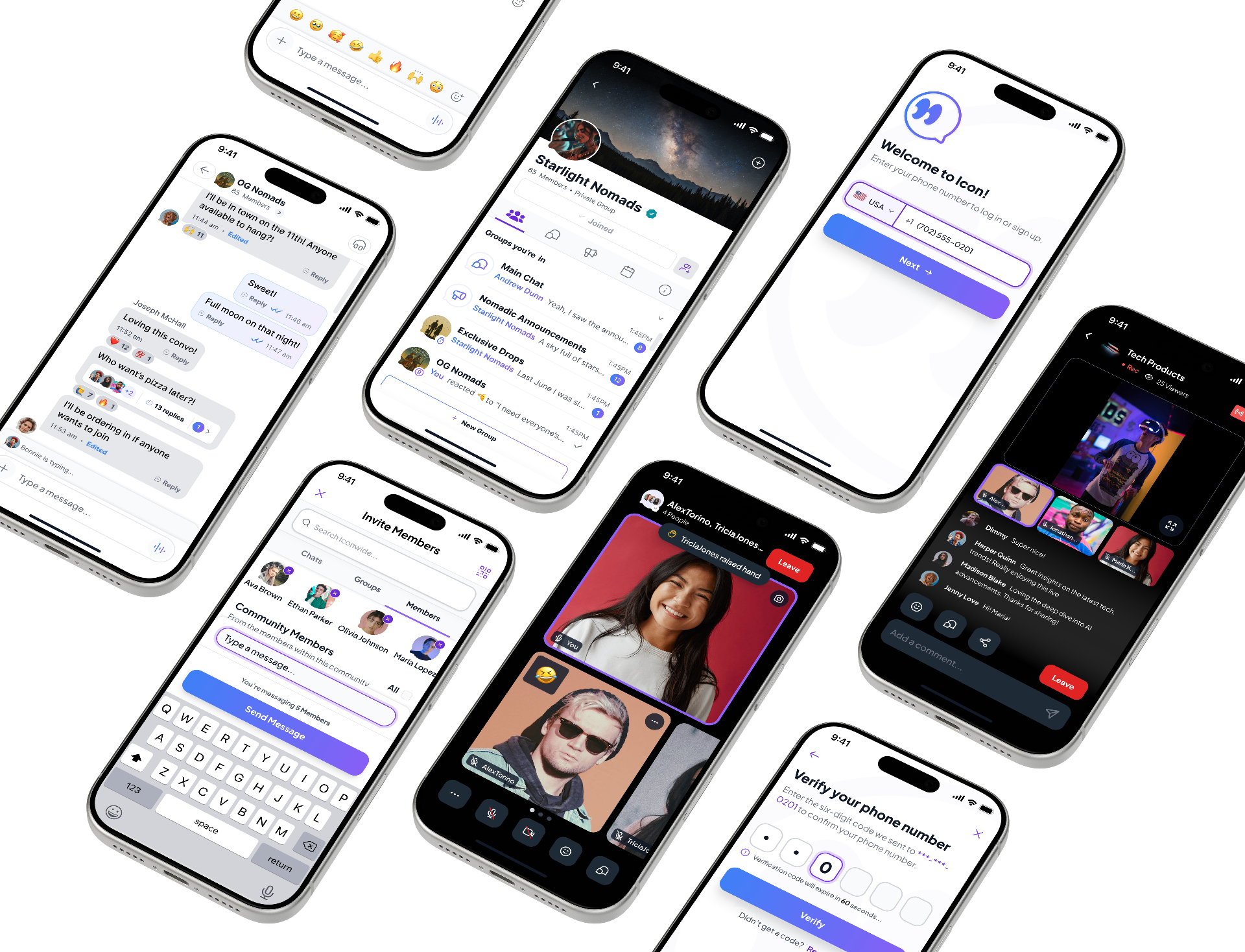
Icon community platform — messaging, events, and membership surfaces
Community Platform · Social Product

Designing a flexible community platform that unified messaging, events, and memberships into one scalable experience.

Icon was a startup venture focused on helping organizations create private digital communities where members could connect through messaging, events, and subscriptions.

As Lead Product Designer, I led product strategy, information architecture, UX, UI, and the design system from concept through investor-ready MVP.

Role
Lead Product Designer
Timeline
8 Months · 2026
Industry
Community Platform · Social Product
Team
Product Manager · Junior Product Designer · Lead Product Designer (Me)
Product Experience

Designed around how communitiesnaturally grow.

Rather than separating onboarding, conversations, events, memberships, and announcements into disconnected tools, Icon brings every interaction together inside one cohesive community experience.

01Welcome & Onboarding

Start with belonging.

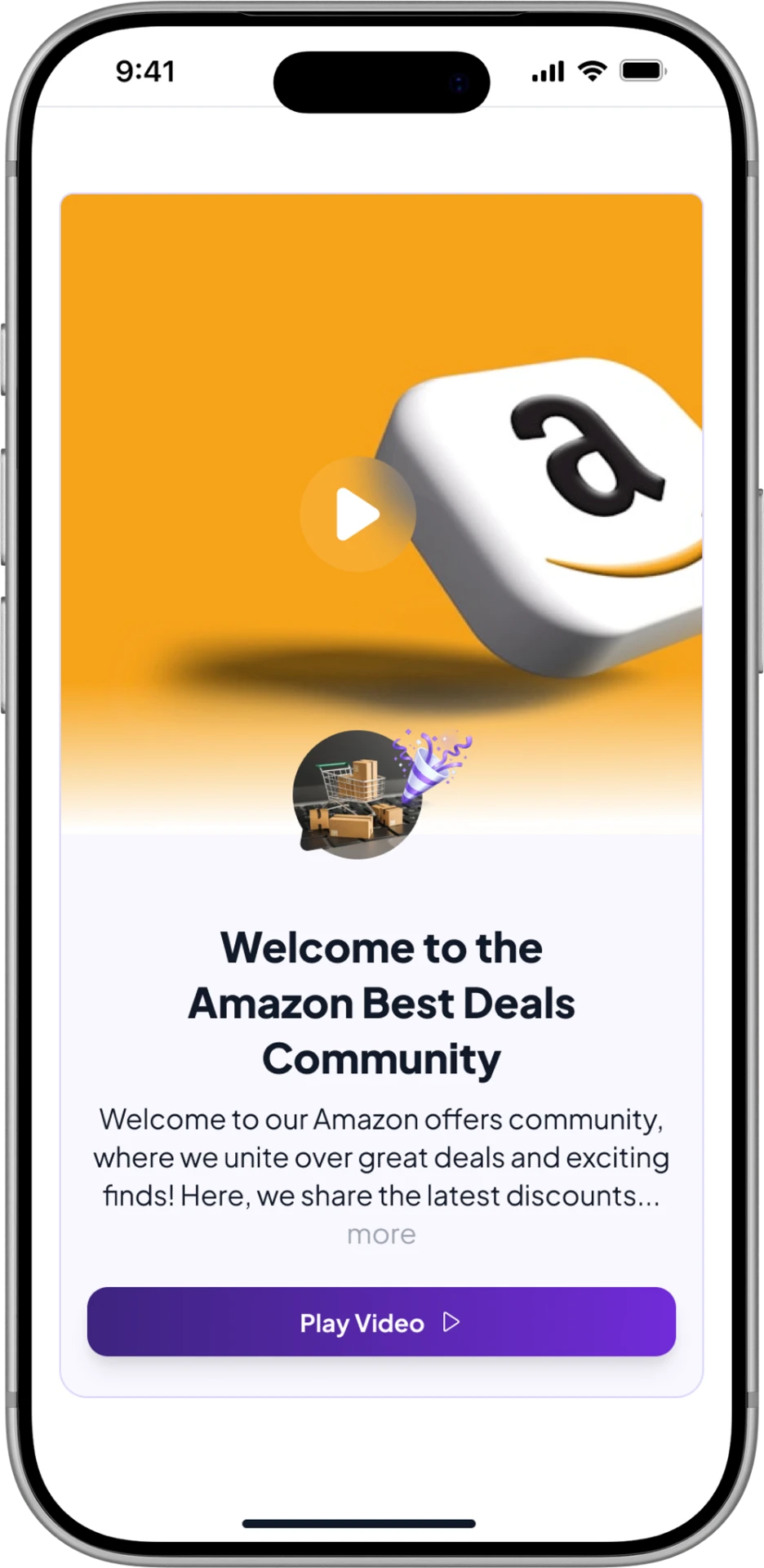
Icon mobile welcome screen with community intro video and Play Video action.

New members arrive to personalized announcements, a welcome video, guidelines, and quick links. Orientation happens inside the product, so the first session answers where you are and how to take part.

02Community Home

Everything happening in one place.

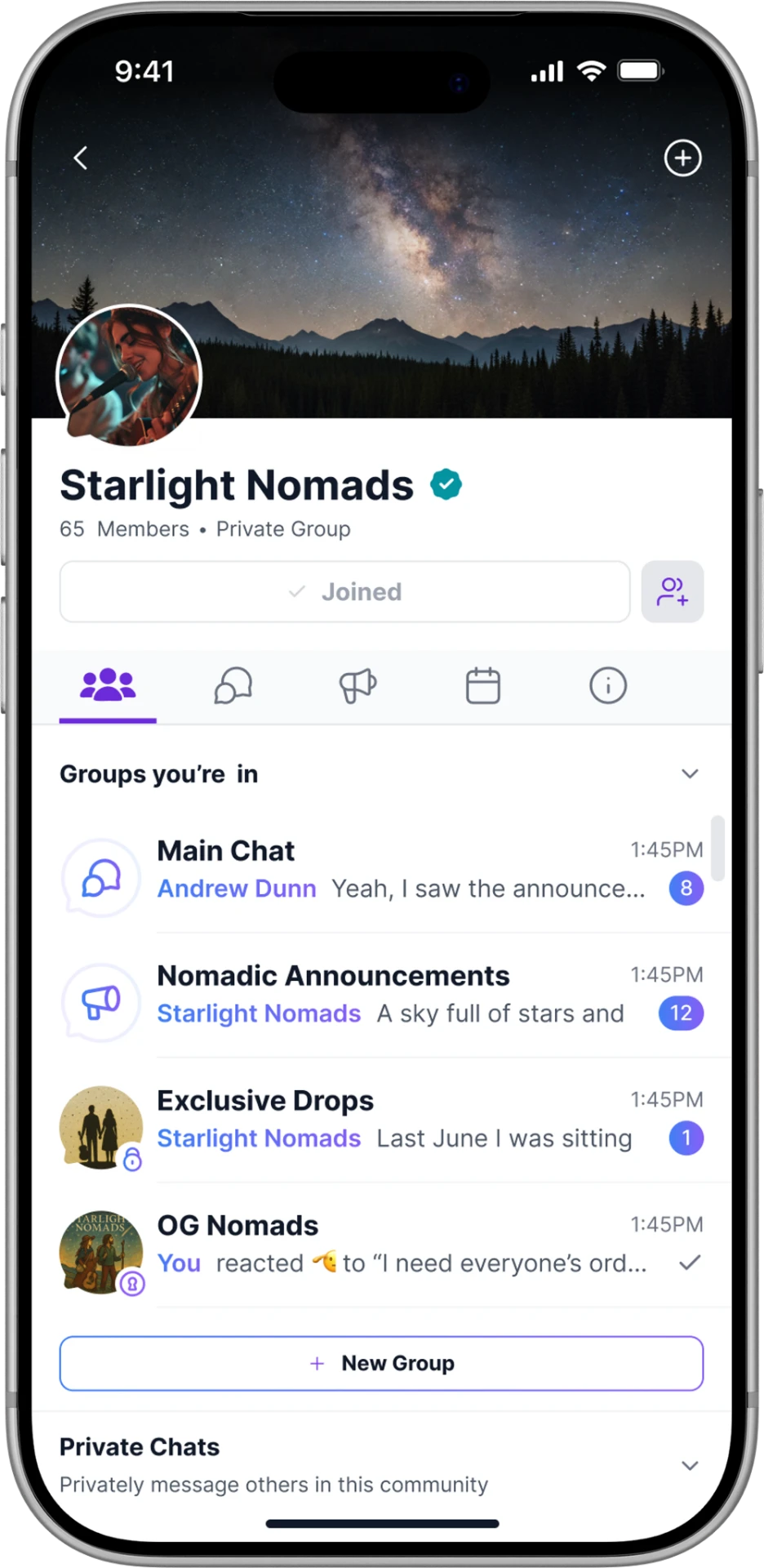
Icon mobile community home showing groups, announcements, and recent activity.

Announcements, recent activity, featured conversations, and upcoming events share one destination. Members start every visit from the same surface instead of switching tools to reconstruct context.

03Groups & Messaging

Conversations with context.

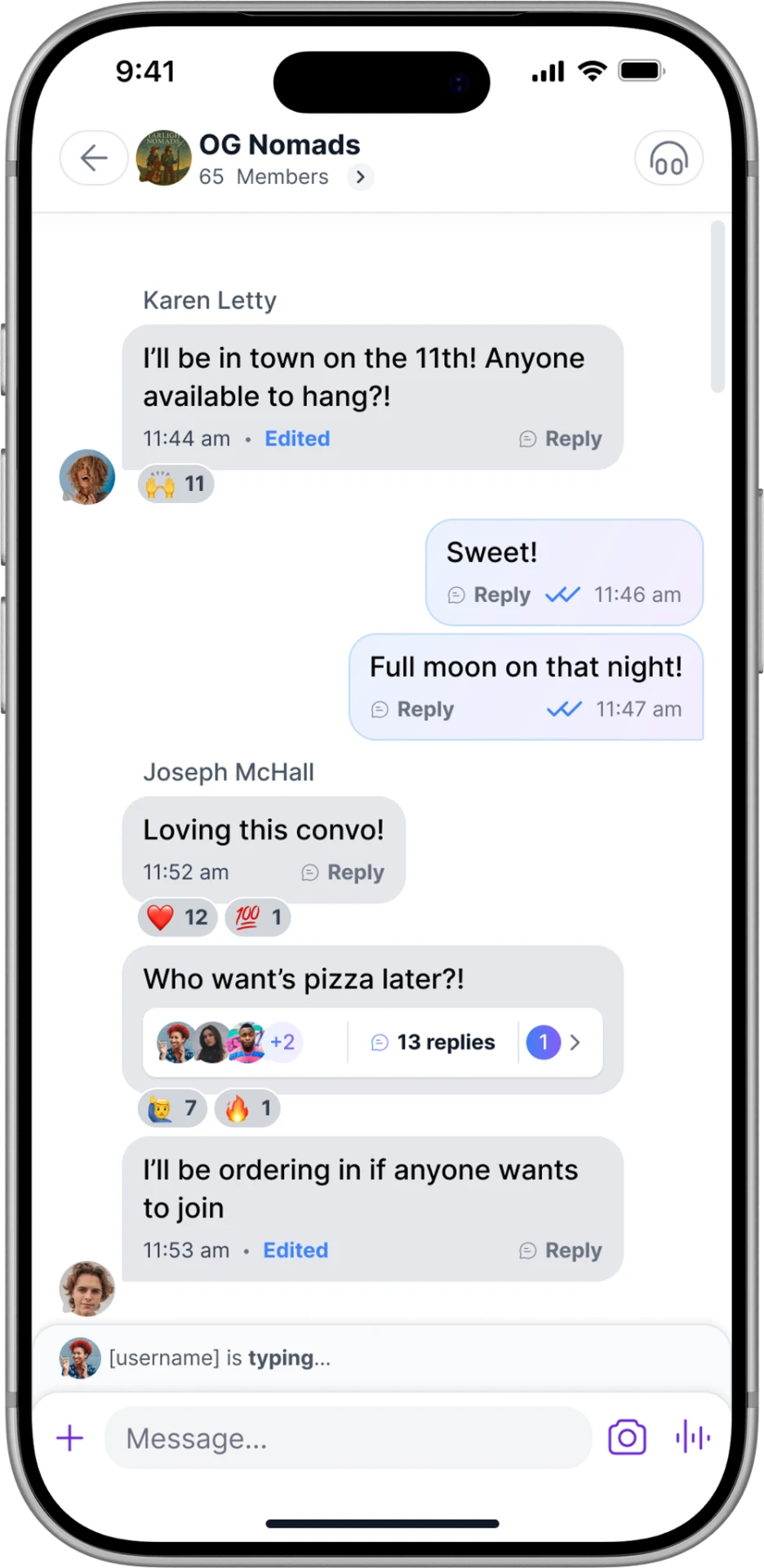
Icon mobile group chat with threaded replies, reactions, and typing indicator.

Public, private, and secret groups let communities organize themselves, and every conversation stays attached to the group that created it—carrying membership, permissions, and history with it.

04Events

Participate beyond the conversation.

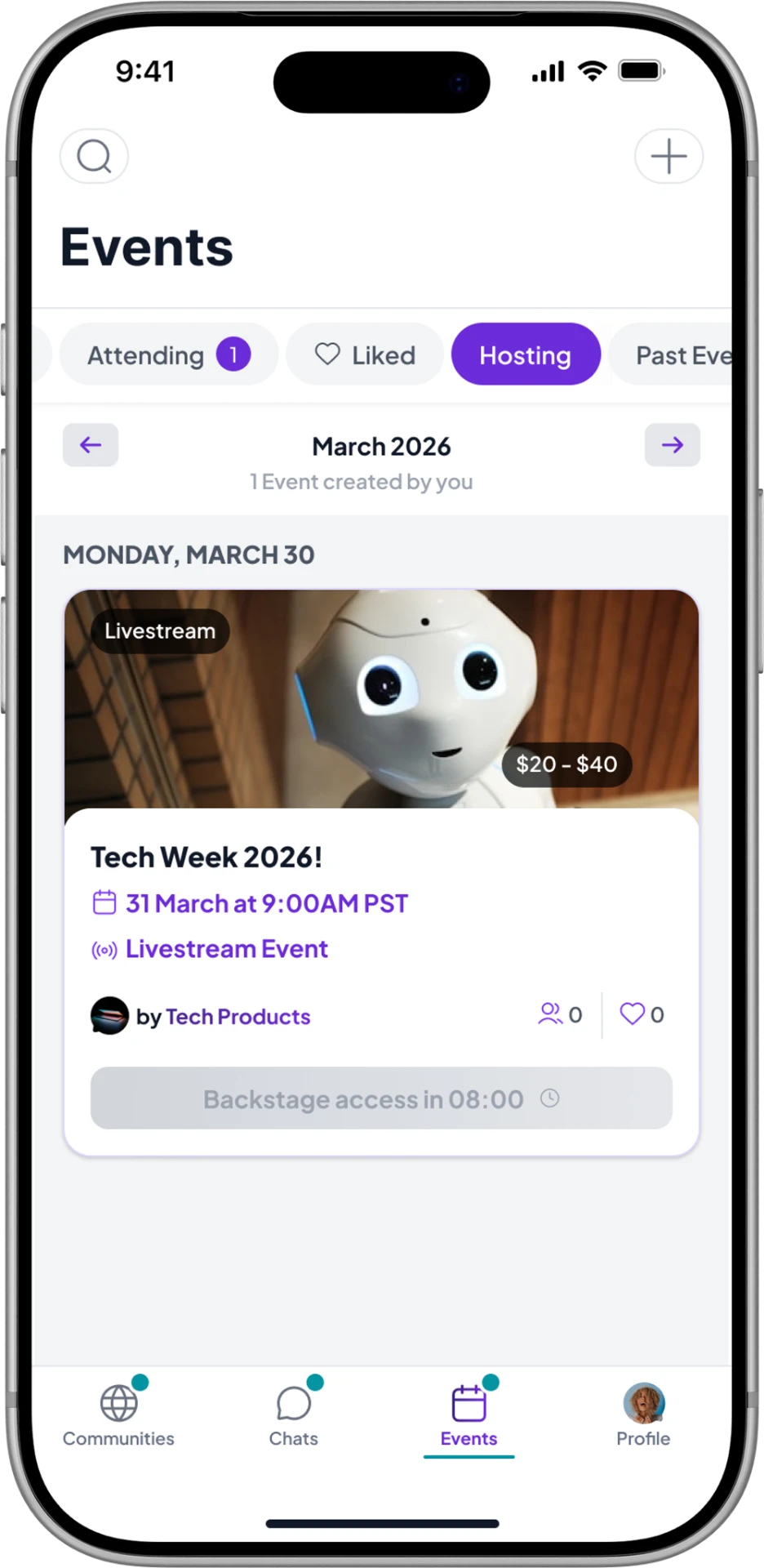
Icon mobile events screen listing an upcoming livestream event with ticket pricing.

Live video sessions and in-person gatherings are discovered, joined, and managed in-platform. Participation follows the same membership rules as everything else, so access never needs a second system.

05Membership

Built for communities that grow.

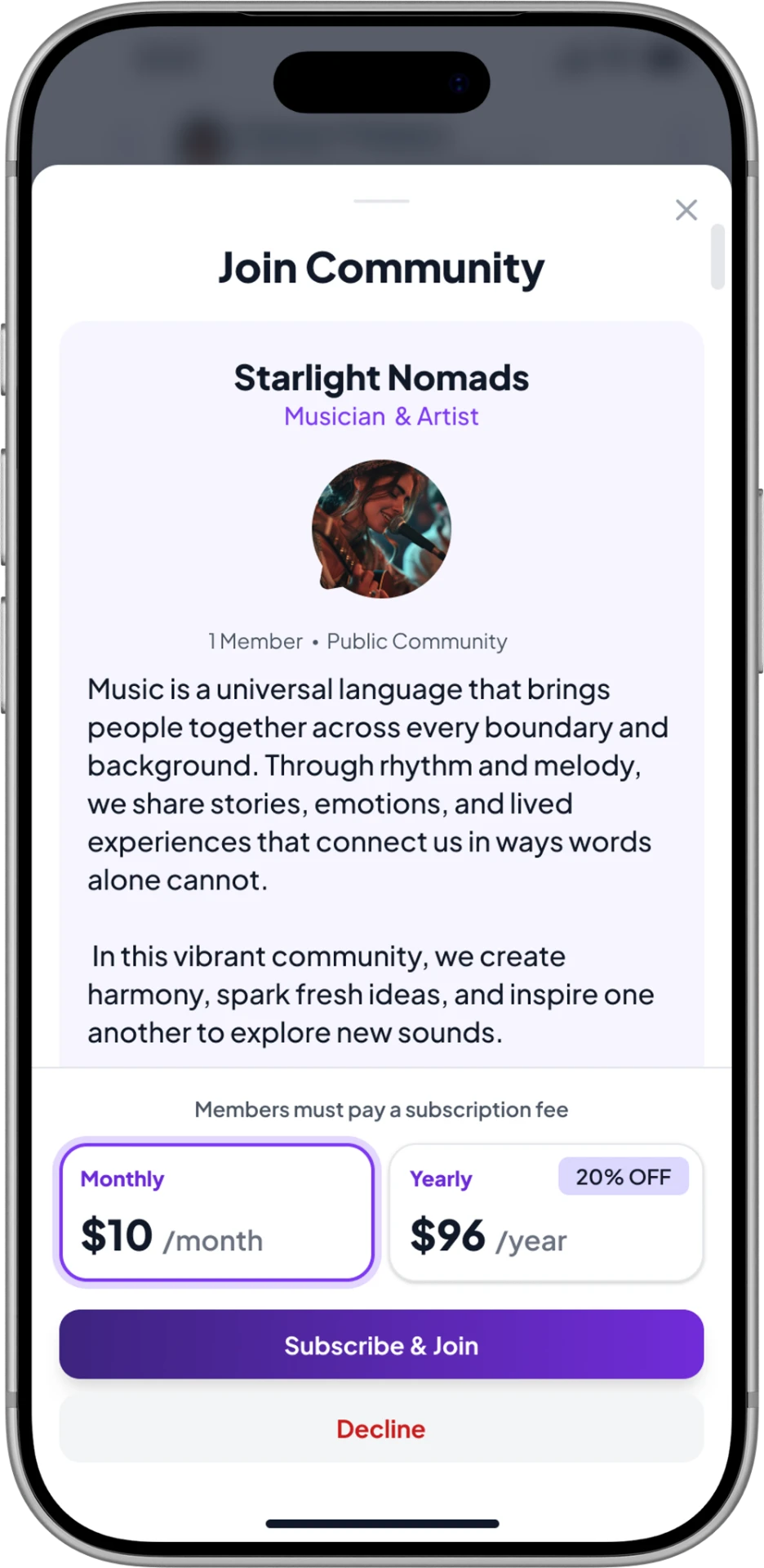
Icon mobile join community sheet with monthly and yearly subscription options.

Memberships, subscriptions, roles, and moderation controls sit together. Organizations can scale participation while keeping structure, privacy, and trust intact as the community changes.

The Challenge

Building one platform for manydifferent communities.

The challenge wasn't designing another messaging application. Organizations — from universities and athletic programs to brands and gig-worker networks — needed flexible community spaces with different permissions, memberships, privacy settings, and communication models.

01

Many communities, one product

Public, private, and secret communities plus nested groups all had to coexist inside a single, coherent product model.

02

Communication in every shape

Direct messaging, group conversations, live events, and in-person events each carried different expectations for presence, notification, and permission.

03

Membership and monetization

Subscription-based memberships and flexible permissions had to feel native to the community rather than bolted onto it.

04

Intuitive, not overwhelming

The goal was making all of this feel intuitive — powerful for administrators without overwhelming everyday members.

Discovery

Understanding how communitiesactually communicate.

Before designing a single screen, we mapped how organizations were already running their communities — and where the seams were showing.

Insight 01

Organizations juggled multiple disconnected tools for messaging, events, announcements, and memberships.

Insight 02

Fragmentation created complexity for administrators long before it reached members.

Insight 03

Different organizations needed different privacy, permission, and membership models from the same product.

Product Strategy

The product decisionsthat shaped the MVP.

The product structure moved through four information architecture iterations — from separate destinations for messaging, events, and memberships to one community spine carrying groups, chats, events, and subscriptions.

The bets we made.

  1. 01Unify communities, groups, conversations, events, and memberships into one architecture.
  2. 02Support public, private, secret, and nested community structures.
  3. 03Make subscription membership and permissions first-class parts of the model.
  4. 04Reduce complexity without hiding functionality.
  5. 05One unified activity model instead of separate destinations.
  6. 06Design for a platform, not just an MVP.
Community Home

One dashboard. Every important interaction.

The home experience became the foundation of the product. Members needed one place to quickly understand what was happening across their communities without constantly switching between disconnected tools.

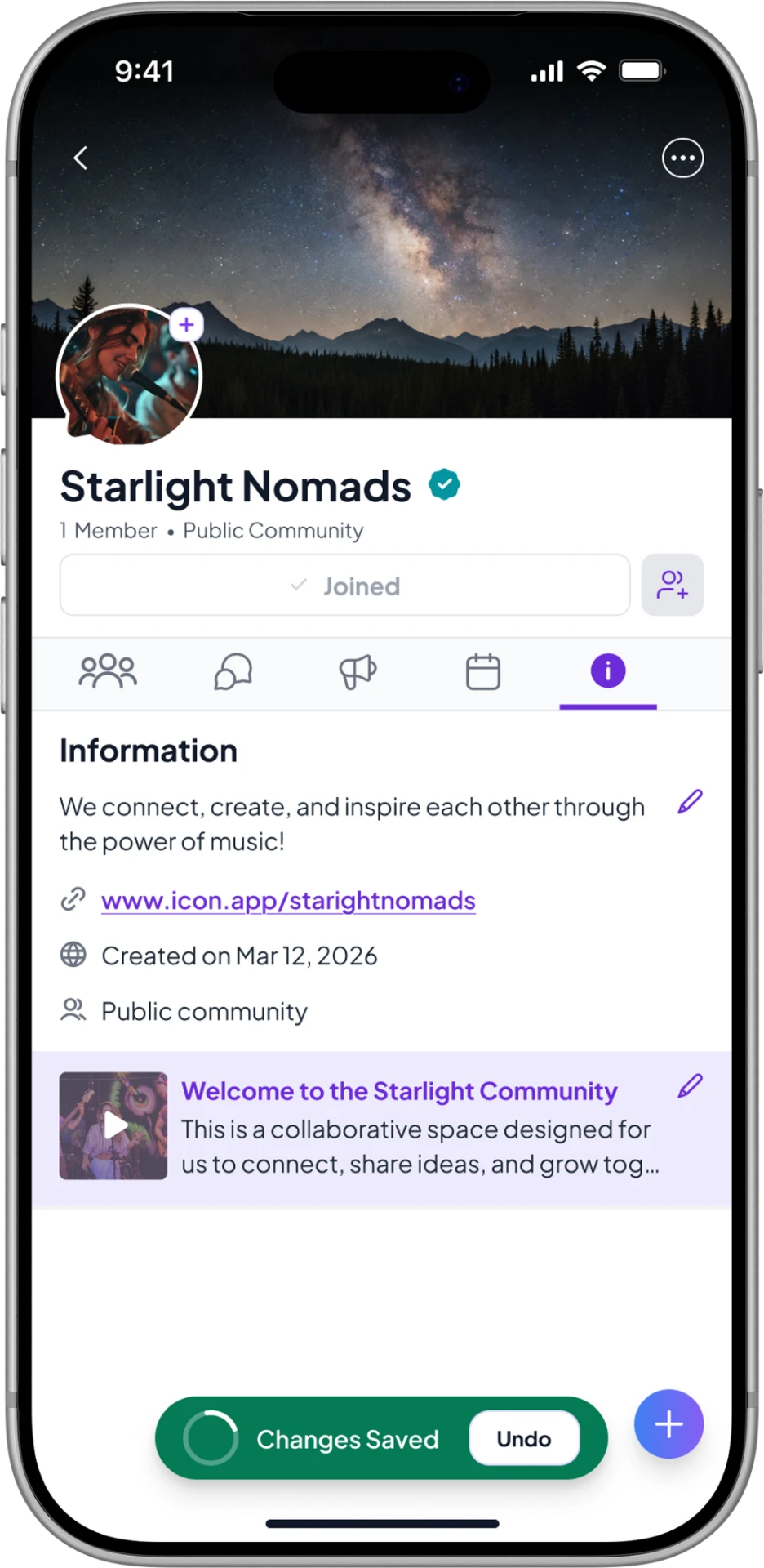
Icon mobile community information screen showing community details, link, and welcome video.
  1. 01

    Personalized Activity

    Relevant updates appear based on the communities, groups, and events each member belongs to.

  2. 02

    Unified Communication

    Messages, announcements, and upcoming events coexist inside one continuous experience.

  3. 03

    Faster Discovery

    Members spend less time navigating and more time participating.

Community Groups

Organizing conversations without creating complexity.

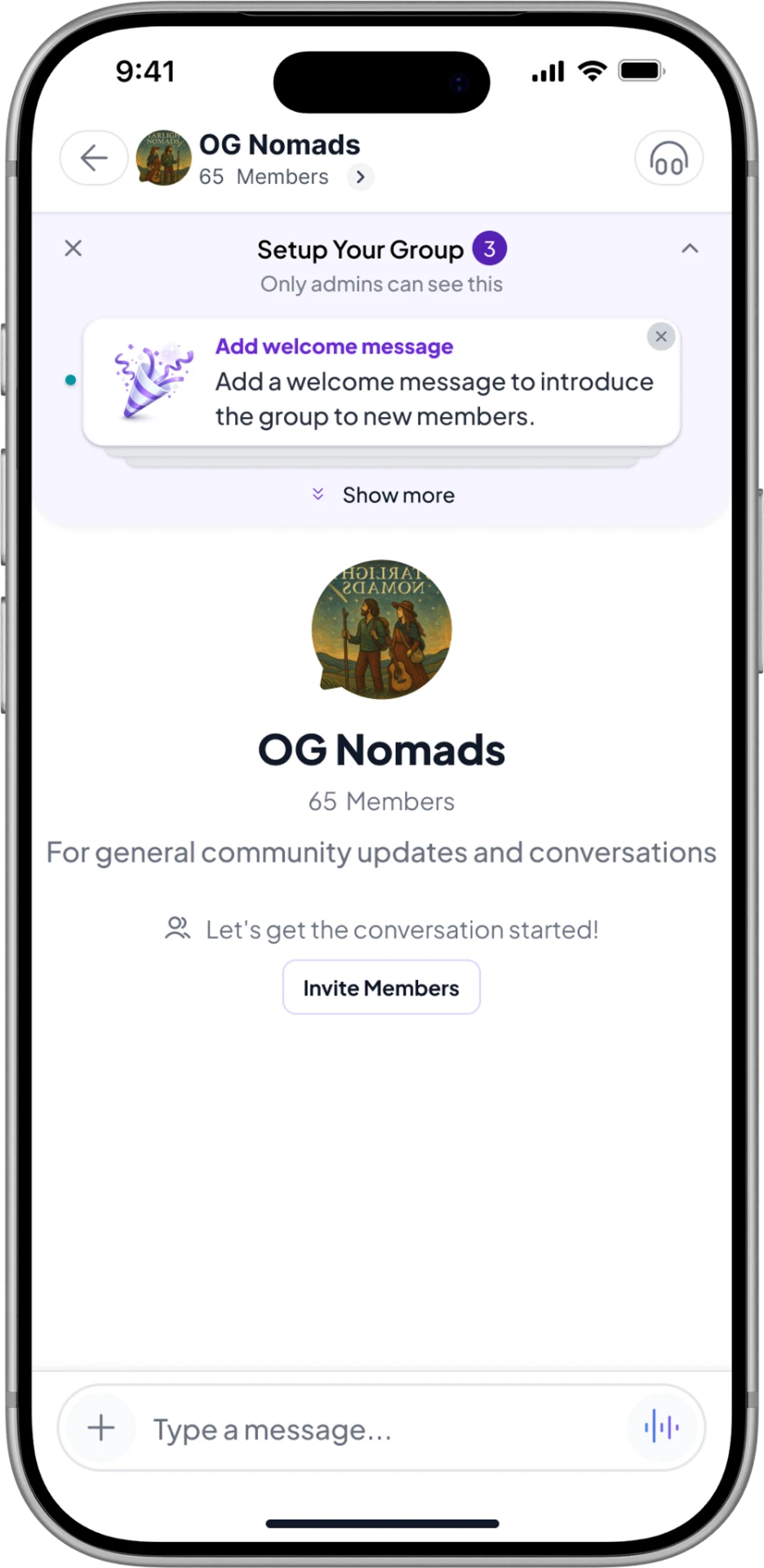
Communities could create nested groups while maintaining clear navigation, visibility, and permission models.

Icon mobile group setup screen for OG Nomads showing welcome message, member count, and invite members prompt.
  1. 01

    Flexible Hierarchy

    Groups can organize around teams, classes, interests, or other community structures.

  2. 02

    Permission-Based Visibility

    Public, private, and secret settings determine who can discover and participate in each space.

  3. 03

    Contextual Discussions

    Conversations stay organized around the group and community that created them.

Messaging

Conversations that always stay connected to the community.

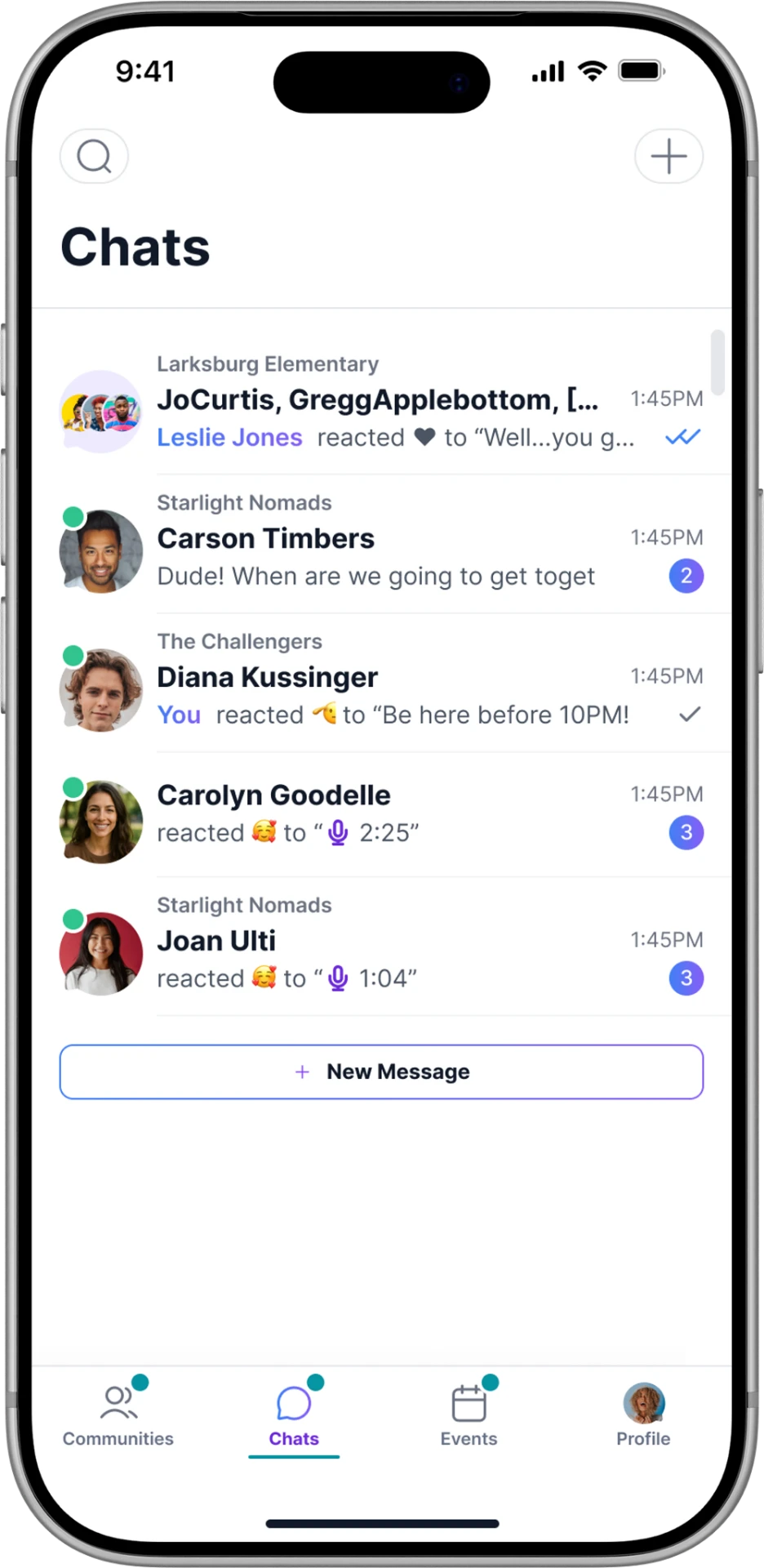
Direct messages and group conversations were designed to preserve context instead of existing as isolated conversations.

Icon mobile Chats list showing direct and group conversations across communities, with unread badges and reactions.
  1. 01

    Direct Messaging

    One-to-one conversations carry the membership context that created them.

  2. 02

    Group Conversations

    Threads scale from a handful of members to an entire organization.

  3. 03

    Persistent History

    Conversations remain retrievable as communities, groups, and rosters evolve.

Events

Bringing digital and in-person experiences together.

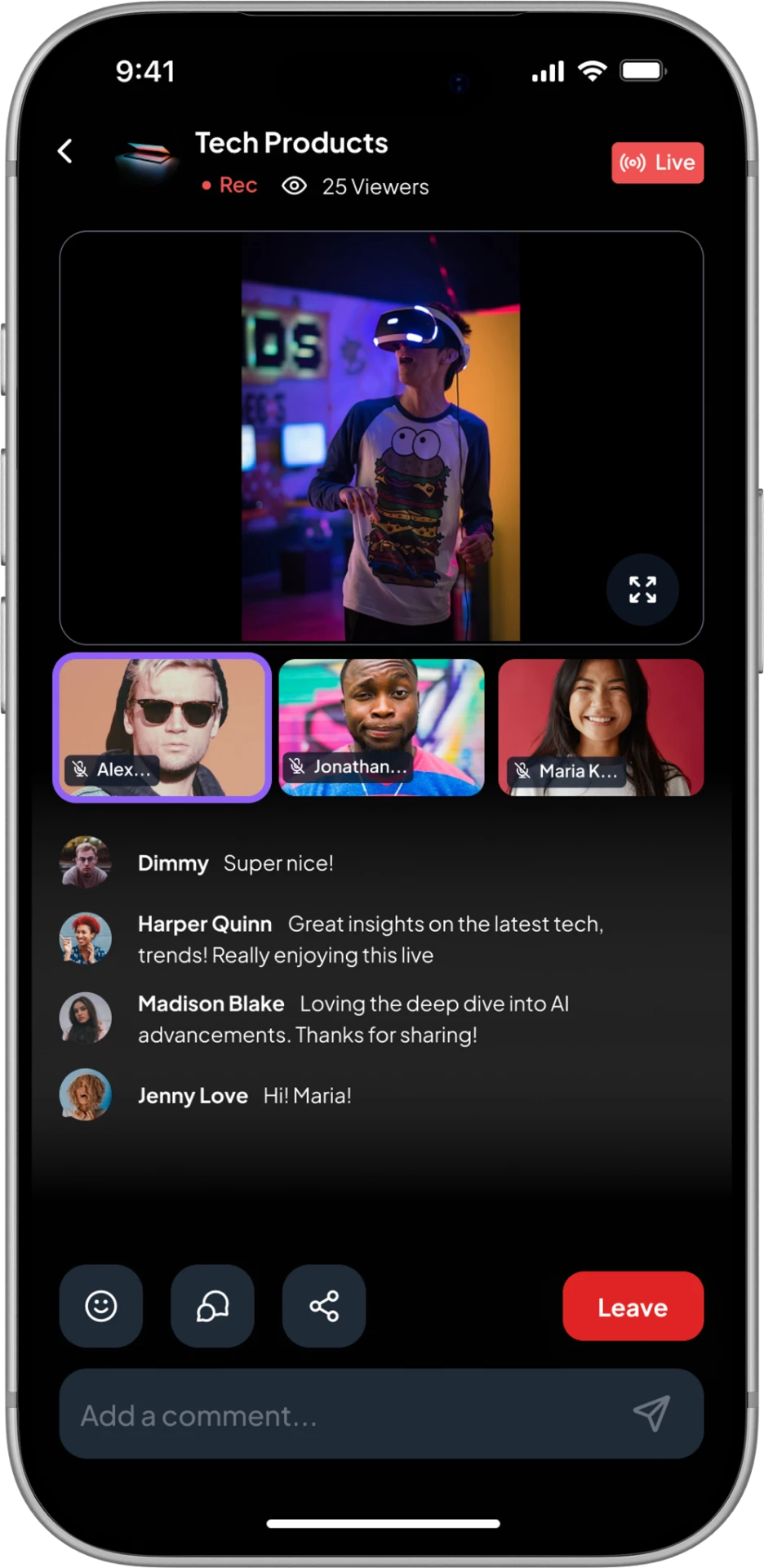
Members could RSVP, attend live video sessions, or join in-person events without leaving the platform.

Icon mobile live event screen for Tech Products showing a live stream, viewer avatars, and real-time comments.
  1. 01

    Live Events

    Communities can host live video experiences directly for eligible members.

  2. 02

    In-Person Events

    Members can discover and RSVP to physical events associated with their communities.

  3. 03

    Member-Only Access

    Event availability follows the same membership and permission logic as the rest of the platform.

Platform Systems

Built to scale from day one.

To support a platform spanning communities, messaging, events, memberships, moderation, and future expansion, I designed a reusable product system that allowed new features to ship without reinventing the interface. Every screen shared the same design language, making the platform easier to scale and easier to use.

Icon community home screen showing the shared typography, color, and component language.
Foundations
One reusable language.
Typography, spacing, color, reusable components, and interaction patterns established a consistent experience across every feature of the platform.
Icon community groups screen showing nested groups, member counts, and discovery navigation.
Navigation
Organized without complexity.
Communities, nested groups, and member discovery followed a scalable navigation model that remained easy to understand as organizations grew.
Icon chats screen showing conversations grouped by the communities that created them.
Communication
Context stays intact.
Messaging components connected conversations directly to the communities and groups that created them, reducing context switching across the platform.
Icon membership sheet showing monthly and yearly subscription tiers for a community.
Access
Permissions built into the experience.
Membership tiers, subscriptions, moderation controls, and role-based access all shared reusable interaction patterns instead of becoming isolated features.

Designed for growth.

Every feature inside Icon was built from the same reusable system, allowing the MVP to expand into new community experiences without redesigning foundational UI. The result was a platform prepared to grow well beyond its initial investor release.

Final MVP

Preparing the productfor investor review.

The final deliverable was an investor-ready MVP that brought the core Icon experience together into one cohesive platform. Rather than presenting a single feature, the prototype demonstrated how communities could communicate, organize, manage access, host events, and scale within one connected system.

What the MVP included

Communities
Organizations could create structured spaces where members gathered around shared identity, purpose, or affiliation.
Groups
Nested public, private, and secret groups gave communities flexible ways to organize people and conversations.
Messaging
Direct and group conversations remained connected to the communities and groups where they originated.
Events
Members could discover, join, and participate in live video or in-person events from within the platform.
Memberships
Flexible membership and subscription models supported both open and paid community experiences.
Permissions
Role-based visibility and access controls helped organizations manage privacy without complicating the member experience.
Profiles
Member profiles created continuity across communities, conversations, groups, and events.
Design System
Reusable components and shared interaction patterns kept the experience consistent as the product expanded.
Responsive Platform
The experience was designed as a responsive web application that maintained usability across desktop and mobile environments.

Together, these systems formed the investor-ready MVP and demonstrated how Icon could grow from a single community experience into a scalable platform.

Reflection

What this project reinforcedabout product design.

What changed

A unified activity model made a broad feature set feel like one product instead of many.

What surprised me

How much of the perceived complexity came from information architecture rather than interface design.

What I'd build next

Strong information architecture often determines whether a product feels intuitive long before visual design begins.

Let's build something great

Let's build the nextsuccess story.

Every case study in this portfolio began with a complex problem, an ambitious team, and a decision to build something better. If you’re solving the next one, I’d love to help.